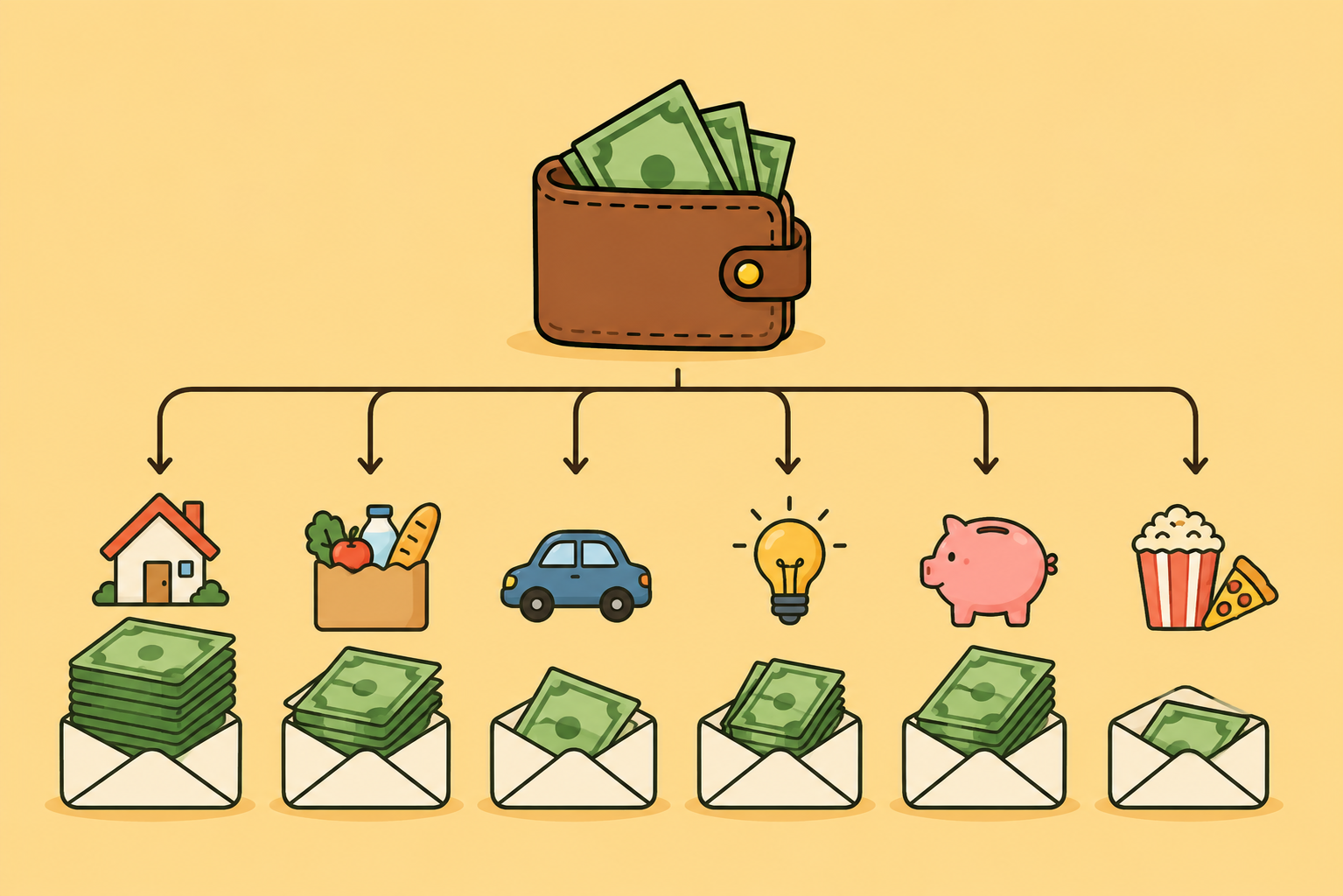
What makes a good budgeting app for New Zealand?
Ten things to check before you choose a budgeting app in New Zealand, from NZ bank feeds and automatic categorisation to KiwiSaver, useful insights, price and your data.
A good budgeting app for New Zealand connects to your NZ banks with read only access, sorts your spending automatically, follows weekly or fortnightly pay, understands KiwiSaver, shows what is safe to spend, gives you insights that help you save, charges a clear price in NZ dollars and is open about your data.
Many popular budgeting apps were built for the United States. Some cannot import directly from NZ banks, many assume a monthly pay day, and none of them were designed around KiwiSaver. That is why a short local checklist helps more than a star rating.
Disclosure: this guide is published by Fireball, which makes a budgeting app for New Zealand. The checklist works for any app, and each section says plainly how Fireball handles that point so you can compare. Facts were checked on 5 October 2026. This is general information, not personal financial advice.
What should you look for in a budgeting app in New Zealand?
Check these ten things. Each one is explained below.
| What to check | What good looks like | Warning sign |
|---|---|---|
| NZ bank connection | Automatic feeds from your own banks with read only access | Asks for your bank password, or imports by file only |
| Automatic categories | Most spending sorted for you, with NZ merchants recognised | You sort every transaction by hand |
| Pay cycle | Weekly, fortnightly or monthly budget periods | Calendar months only |
| Budgeting style | A simple limit, category budgets or a zero based plan | One fixed method |
| Safe to spend | Bills and savings taken off before the figure is shown | Shows the bank balance and nothing more |
| KiwiSaver | Balance in your net worth and in your retirement plan | No KiwiSaver, or it is treated as cash |
| Home and debts | Property, mortgage and loans counted together | Everyday accounts only |
| Insights | Savings rate, trends and progress toward your goals | Lists of transactions and little else |
| Price | A clear price in NZ dollars with a free plan or trial | US dollar billing, or limits that are hard to find |
| Your data | A plain privacy policy, consent for AI and a delete option | No way to disconnect or delete |
Does it connect to your NZ bank safely?
A good app pulls transactions from your own NZ banks automatically, with read only access, and never asks for your bank password. For most people this matters more than any other feature. If you have to type in every transaction, it is easy to fall behind and give up.
New Zealand now has regulated open banking. MBIE confirmed that ANZ, ASB, BNZ and Westpac had to have open banking systems live from 1 December 2025, with Kiwibank following during 2026. Data can only be shared with your explicit authorisation, and businesses that receive it must be accredited by MBIE.
Many NZ apps connect through Akahu, a local open finance provider and accredited requestor. Akahu says an app connected through it never handles your banking credentials, and that you can disconnect accounts at any time.
What to check:
- Your own banks and cards are on the supported list, not only the largest banks.
- Access is read only, so the app cannot move money.
- You can see how to disconnect an account and withdraw consent.
- The app says how often feeds refresh. Bank feeds are not instant, so a purchase may take a while to appear.
- You can still add accounts by hand for anything that cannot connect.
In Fireball: bank connections run through Akahu with read only access. Fireball cannot move money and does not store your bank password. Connections are part of the Paid plan, and the Free plan works with accounts you enter yourself. Our bank data page explains what is collected.
Does it sort your spending automatically?
A good app categorises most transactions for you and recognises the shops you actually use. A budget is only as accurate as its categories, and sorting every purchase by hand quickly becomes a chore.
Local knowledge matters here. An app built for another country may not recognise names like Pak'nSave, Z or Mitre 10, so groceries, fuel and hardware can land in the wrong category or in none at all. Bank descriptions are often cryptic too, so look for an app that turns them into a merchant name you know.
What to check:
- Most transactions arrive already categorised, and the app asks you when it is unsure.
- A correction is remembered, so you fix a merchant once.
- You can set rules that rename a merchant, set its category or add a tag.
- Transfers between your own accounts and refunds are not counted as spending.
- You can split one purchase across categories.
In Fireball: categories come from four signals: rules you set, categories you have confirmed before, private aggregate patterns from other Fireball users, and an AI suggestion when more context helps. You can accept or change a suggestion, and Fireball asks when it needs your help. Transfers, refunds and investment contributions are recognised and kept apart from everyday spending. A transaction can be split across categories, and rules can rename a merchant, set a category, add a tag or link future activity to a goal. AI suggestions are part of the Paid plan.
Does it match how you are paid?
A good app lets the budget period follow your pay cycle. Many New Zealanders are paid weekly or fortnightly, while most bills arrive monthly, so an app that only understands calendar months will make your budget look wrong for much of the year.
Fortnightly pay is the common trap. You receive 26 pays a year, so two months each year contain three pay days. If the budget follows your pay cycle, those months do not look like a windfall.
What to check:
- You can set weekly, fortnightly or monthly budget periods.
- Recurring bills and income are detected and shown against the period they fall in.
- Rent, power and other regular costs are counted before they leave your account.
In Fireball: budgets can run on weekly, fortnightly or monthly pay periods. Recurring payments are detected from your transactions, and eligible connected accounts show an estimated balance 3 to 30 days ahead.
Can you budget your own way?
A good app supports more than one method, because there is no single correct way to budget. Some people want one overall limit. Others want a limit for each category. Some prefer zero based budgeting, where every dollar of income is given a job.
The best method is the one you will keep using. An app that forces one approach only suits people who already budget that way.
What to check:
- You can choose between a simple limit, category budgets and a zero based plan.
- Categories can be renamed and nested so they match your life.
- Changing method later does not mean starting again.
In Fireball: you can choose a single limit, category budgets or a flex budget that works out what is left after bills and savings. Zero based planning is optional in each, and custom categories can be nested under any parent.
Does it show what is safe to spend?
A good app tells you what is left after your commitments, not only what is in the account. Your bank balance answers one question: how much is there right now. It does not tell you how much is already promised to rent, bills and savings.
A safe to spend figure takes your budget, subtracts what you have spent and what is still to come, and shows what remains for the rest of the period. Our guide to how much is safe to spend before payday explains the idea in more detail.
What to check:
- Upcoming bills and planned savings are taken off before the figure is shown.
- The figure can be shown per day as well as for the whole period.
- You can see how it was calculated, so you can trust it.
In Fireball: Safe to Spend subtracts upcoming bills, budgets, pending transactions and savings goals, then shows what is left for the period and per day. It is also available as a Home Screen widget on iPhone and Android.
Does it understand KiwiSaver?
A good app for New Zealand treats KiwiSaver as what it is: a retirement account with its own rules. This is where overseas apps often fall short. Their retirement tools are built around schemes such as the 401(k) in the United States or superannuation in Australia, which have different contribution rules, tax treatment and access ages.
The KiwiSaver rules shape any plan. Inland Revenue says you can withdraw all of your savings once you reach the age of eligibility, currently 65. Earlier access is limited to cases such as buying a first home or significant financial hardship. Contributions are changing too. Sorted explains that employee and employer contributions moved from at least 3% to 3.5% on 1 April 2026 and rise to 4% in April 2028.
KiwiSaver also sits beside NZ Super, which is paid from 65 to those who qualify. A plan that ignores either one will misjudge how much you need to save yourself.
What to check:
- Your KiwiSaver provider can connect, or the balance can be added by hand.
- The balance counts toward your net worth but is not treated as money you can spend.
- Retirement projections include KiwiSaver and NZ Super.
- The plan knows KiwiSaver is locked until 65, so it can show what you need outside it if you want to stop work earlier.
In Fireball: KiwiSaver balances from supported providers, including Kernel, Simplicity, Fisher Funds, Generate, Booster, Pie, SuperLife and Milford, sit in your net worth and feed your financial independence plan. The projection is built from your real budget, net worth and debt data and accounts for KiwiSaver, the age you can access it and NZ Super. The Paid plan can test that plan against 5,000 possible market outcomes. Our KiwiSaver gap calculator shows how far KiwiSaver and NZ Super may fall short of the retirement you want.
Does it count your home and your debts?
A good app shows your whole position, not only this month's spending. For many New Zealand households the largest numbers are the home and the mortgage, and neither appears in an everyday account.
What to check:
- Property, mortgages, loans and investments can all be tracked alongside bank accounts.
- A mortgage can be linked to the property it pays for, so you can see equity change.
- Joint accounts can be counted at your share when you split money with a partner.
- A partner can have access without sharing a login.
- Debt payoff plans sit in the same place as your budget.
In Fireball: net worth covers bank accounts, KiwiSaver, investments, property, mortgages and loans. A mortgage can be linked to its property, and home equity is kept separate from the wealth you could invest or draw on. Any account can be marked as joint with your share set, so your net worth, spending and budgets count only your part. A debt planner compares repayment strategies, and on the Paid plan you can invite up to four trusted people with their own logins as viewers or editors.
Does it give you insights that help you save?
A good app does more than record spending. It shows patterns you would not spot yourself and ties them to what you are saving for. Tracking tells you what happened. Insight tells you what to change.
The most commonly used single figure is your savings rate, the share of income you keep. A goal such as a house deposit or an emergency fund becomes realistic once you can see how a change in spending moves that rate and the date you will get there.
What to check:
- Reports cover cash flow, savings rate, spending by category and merchant, and net worth over time.
- Savings goals show progress and are built into the budget, so the money is set aside before you spend.
- You can watch one category or merchant without building a whole budget for it.
- A regular summary tells you what changed, so you do not have to go looking.
- Your history stays with you, so trends become more useful over time.
In Fireball: insights include charts for net worth, cash flow, savings rate, spending, merchants and tags. Spending monitors watch a category, merchant or tag. Savings goals can be reserved in your budget, so Safe to Spend already allows for them. The Weekly Review turns your latest week into a short summary of spending, cash flow, wealth and goals, and Ask Fireball answers questions about your money using figures already calculated in the app. The Weekly Review and Ask Fireball are part of the Paid plan.
Is the price clear and in NZ dollars?
A good app shows one clear price in NZ dollars and tells you where the free plan stops. Budgeting apps in New Zealand range from free to well over $100 a year. Price alone is a poor guide, but unclear pricing is a warning sign.
What to check:
- The price is shown in NZ dollars. An app billed in US dollars will cost a different amount each month, and your card may add a foreign currency fee.
- You know what the free plan includes. Bank feeds are often a paid feature.
- Limits on accounts, bank connections or years of forecast are stated up front.
- There is a free trial or a refund period, so you can test it with your own data.
In Fireball: the Free plan covers budgets, goals, debt planning and net worth with accounts you enter yourself. The Paid plan costs $10.99 a month or $99 a year in NZ dollars and adds bank connections. Subscriptions bought on our website carry a refund guarantee: ask within 30 days of your first paid charge and it is refunded in full. It can be claimed once and does not cover App Store or Google Play purchases.
Our comparison of budgeting apps in New Zealand lists current prices and free plans for PocketSmith, YNAB, Sorted, mybudgetpal, BudgetBuddie, SortMe and Fireball.
Is it open about your data?
A good app says plainly what it collects, who it shares it with and how you can delete it. Your transactions are personal information under the Privacy Act 2020. Under privacy principle 6, you are entitled to ask any organisation whether it holds personal information about you and to see it.
What to check:
- The privacy policy says what is collected, where it is stored and who it is shared with.
- The app does not sell your financial data or use it for advertising.
- If the app has AI features, it names the provider that processes your data and asks for your consent first.
- You can delete your account and your saved history yourself.
- There is a real way to contact support.
In Fireball: Fireball receives the account, balance and transaction data it needs to run the app, and you can delete your saved history or your whole account. AI features are optional, ask for your consent first and are described in our privacy policy, which names the providers used.
How do you test a budgeting app in one week?
Connect your real accounts and use the app for seven days. Feature lists only tell you so much.
- Connect your main everyday account and one credit card.
- Check that the last month of transactions is complete, and count how many the app categorised correctly without your help.
- Set your budget period to match your pay cycle.
- Add your regular bills and see whether the app found them by itself.
- Compare the safe to spend figure with what you would have worked out by hand.
- Check in a few times during the week. If you find the answer to the question that made you open the app, it is useful, and it should leave you less stressed than before.
If the app still feels useful after seven days, it is probably a good fit. You don’t have to check the app regularly for it to be useful, as long as you could understand where your money is going and how to plan it, then the app is useful.
How is Fireball different?
Fireball is our own app, so weigh this against the checklist above. Most budgeting apps stop at spending. Fireball connects your budget to the rest of your money and to a long range plan.
- Built for KiwiSaver and NZ Super. KiwiSaver from supported providers sits in your net worth, and retirement planning allows for the age you can access it and for NZ Super.
- A plan built on real data. The financial independence projection uses your actual budget, net worth and debts, not figures you type into a calculator.
- Your home handled properly. A mortgage links to its property, and home equity is kept separate from investable wealth.
- Categories that learn from you. Your rules, your confirmed history and suggestions work together, so the same merchant is not fixed twice.
- Shared money counted fairly. Joint accounts count at your share, and a partner can have a separate login.
- An easy move from PocketSmith. A guided import brings across accounts, transactions and category rules, and the whole import can be undone.
It is not the right choice for everyone. If you only want a simple spending tracker and never plan to look further ahead, a free tool may be all you need. You can see how Fireball compares with other apps on our comparison page.
Common questions
What should I look for in a budgeting app in New Zealand?
Look for automatic feeds from your own NZ banks with read only access, automatic categorisation that recognises local merchants, budget periods that match weekly or fortnightly pay, KiwiSaver counted in your net worth and retirement plan, a clear price in NZ dollars, and a plain explanation of how your data is handled.
Which budgeting apps connect to New Zealand banks?
Of the apps in our comparison, PocketSmith, mybudgetpal, BudgetBuddie, SortMe and Fireball offer automatic connections to supported NZ banks. YNAB does not support direct import from NZ banks, and Sorted is manual only. Plan limits apply on some of them, so check before you sign up.
Can a budgeting app track KiwiSaver?
Yes, if it was built for New Zealand. Some NZ apps, such as BudgetBuddie and Fireball, connect to supported KiwiSaver providers and show the balance in your net worth. Overseas apps are built around other retirement schemes, so they generally cannot connect to KiwiSaver or apply its rules.
Do budgeting apps categorise transactions automatically?
Most apps with bank feeds do, but accuracy varies. Look for one that recognises New Zealand merchants, remembers your corrections and lets you set rules, so the same shop is not sorted by hand twice.
Is open banking available in New Zealand?
Yes. Regulated open banking began on 1 December 2025 for ANZ, ASB, BNZ and Westpac, with Kiwibank joining during 2026. Your data can only be shared with your explicit authorisation, and businesses that receive it must be accredited by MBIE.
Are budgeting apps safe to use in New Zealand?
No financial service is free of risk. Choose an app that uses read only access through a provider such as Akahu, never asks for your bank password, explains its data handling and lets you disconnect and delete your account. Read the consent screen before you connect.
Do I need a budgeting app that connects to my bank?
No, but it helps most people keep going. Manual tools work well for a first budget or if you prefer not to connect an account. Automatic feeds remove the daily typing, which is where many people fall behind.
What is the difference between a budgeting app and a personal finance app?
A budgeting app plans and tracks spending against income. A personal finance app also covers the rest of your position, such as net worth, KiwiSaver, investments, debts and long term goals. Many apps now do both, so check which parts you will use.
Is a free budgeting app good enough?
Often, yes. A free tool is a sensible way to build the habit. Paid plans usually add automatic bank feeds, more accounts and longer range planning. Start free, then pay only when you reach a limit that matters to you.
Why does fortnightly pay matter for a budgeting app?
Fortnightly pay gives you 26 pays a year, so two months contain three pay days. If an app only budgets by calendar month, those months look richer than they are and the others look tight. A budget that follows your pay cycle avoids that.
Choose the app you will keep using
A budgeting app does not need daily attention to be worth having, but you know it’s there for you when you need to check in. Features matter less than whether the numbers are accurate, the setup fits how you are paid and the answers arrive in a few seconds.
Use the checklist above, test one or two apps with your own accounts for a week, and keep the one that makes your next money decision easier.
Make the next money decision calmer
Turn what you just read into a plan you can track, adjust, and actually live with. Explore our free financial calculators or see how Fireball brings your finances together.