Fireball 1.4.0: Interactive Brokers, joint accounts and a clearer picture of your money
Fireball 1.4.0 brings Interactive Brokers, joint account shares, clearer paybacks and richer savings goals together for a clearer picture of your money.
Fireball 1.4.0 is here. This release brings your Interactive Brokers investments into Fireball, makes joint accounts count the way they really work, handles money that comes back to you properly, and gives savings goals a lot more to hold on to. Here is what's new.
Connect Interactive Brokers
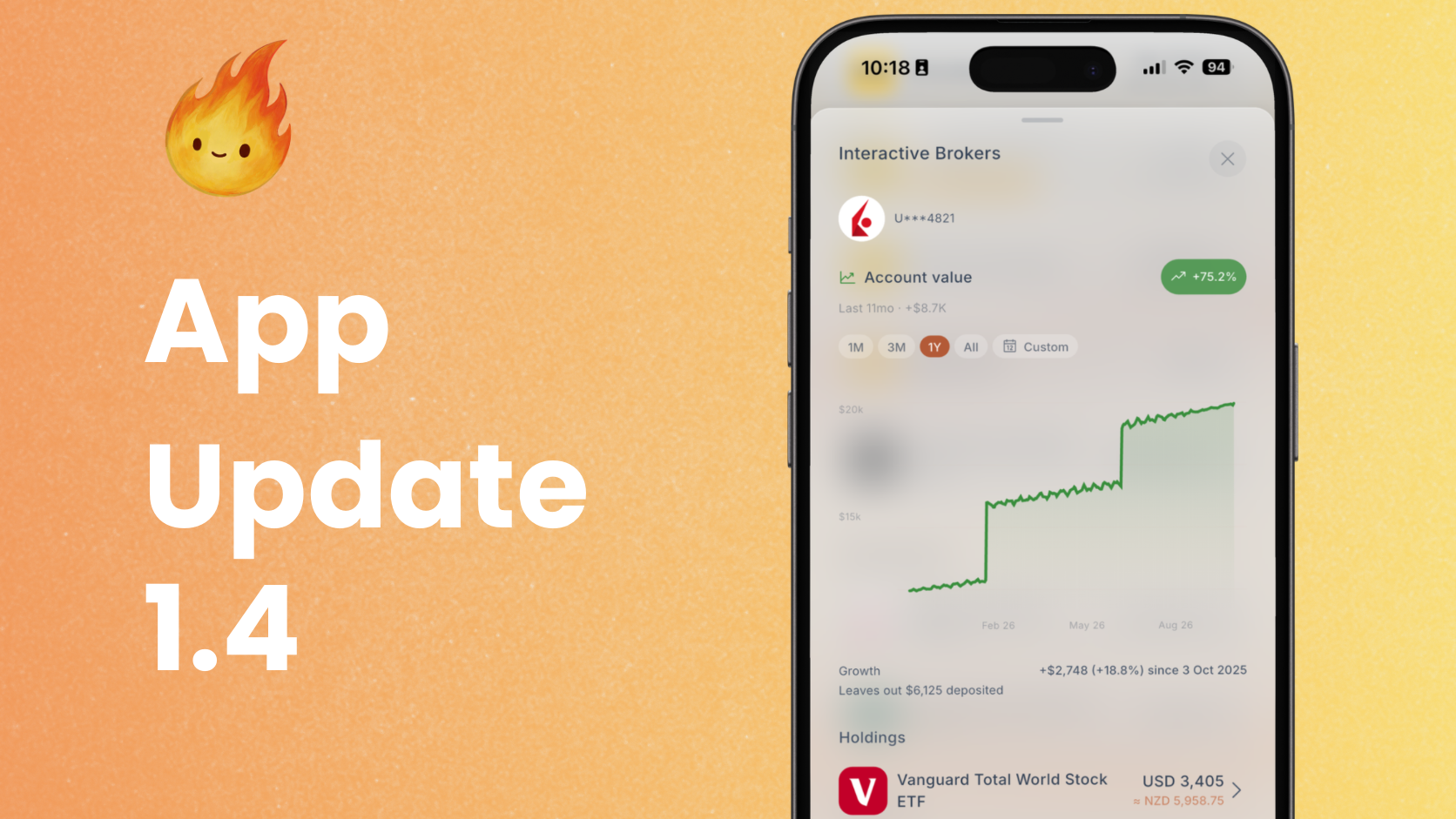
You can now connect your Interactive Brokers account and see your investments next to your bank accounts, your KiwiSaver and everything else that makes up your net worth.
The connection is read only. Fireball can see your holdings and history, and it can never place a trade or move money. Setup walks you through each step with screenshots, and it checks your details as you go so a small mistake does not leave you stuck.
Once connected, you get:
- Your holdings, with logos and live prices, under one Interactive Brokers account in Accounts.
- Up to five years of account value history, including how each holding has grown over time.
- Growth shown separately from the money you put in or took out, so a deposit never looks like a good month in the market.
- Dividends counted as income automatically.
- Margin loans counted as debt, so your net worth stays honest.
Want a look before you connect? Demo Mode now includes an Interactive Brokers account to explore.
Joint accounts that count your share
If you share an account with a partner or a flatmate, half the balance and half the spending are not really yours. Until now, Fireball counted all of it.
In 1.4.0 you can mark any account as joint and set your share, which starts at 50%. From there, Fireball counts only your share in your net worth, FIRE progress, goals, spending, income, budgets and safe to spend. You still see the full balance and the real amount of each transaction, with your share shown underneath.
A few things make this work well in real life:
- Your share applies to past spending and income too, so your history makes sense from day one.
- If your share changes, your charts mark when it happened.
- If you and your partner already share your finances in Fireball, you can link the split. Set your share once and your partner's side takes the rest.
- When your partner tops up the joint account, it counts as a transfer and not as income.
- Fireball asks whether accounts that trade money with the joint account belong to the other owner, so those movements stop looking like spending.
Money coming back
Not all money coming in is income. A friend pays you back for dinner. You split a holiday and the others send their share. Counting that as income makes both your income and your spending look bigger than they are.
Now you can put money coming in straight into a spending category as a payback. If dinner cost $120 and your friend sends you $60, your eating out spending shows $60. It works with your own custom categories too.
Your income estimate is tidier as well. It counts only real income, and you can adjust the figure when you review it.
Goals with steps and history
Savings goals are more than a number now.
- Steps. Give each goal a short list of things to do and tick them off as you go, like opening the account, setting up the automatic payment or getting a quote.
- History. See your goal's activity month by month, and how each month compares with your plan.
- A chart of your progress. For goals funded from an account balance, watch the amount you have saved grow over time.
- Pace on Home. The Goals card on Home shows whether you are on track without needing to open the goal.
Also in this release
- Documents. Keep documents with the things they belong to, such as your home, your car or an account, and find them all on one Documents screen. Add an expiry date and Fireball reminds you before it runs out.
- Refer & earn. For a limited time, when a friend joins with your referral, you both get three months free.
- Account nicknames. Give your accounts names that mean something to you.
- Quicker manual entry. Press and hold the app icon to add a transaction, and Fireball fills in the category from the last time you entered something similar.
- Clearer notifications. Notifications now tell you what they are about, such as which payment is coming up.
- Longer charts. Account and holding charts now go back five years.
- Better answers from Ask Fireball. Ask Fireball is quicker to answer questions about your categories and better at explaining refunds and paybacks.
- A faster app. Fireball opens and updates more quickly, and scrolling and charts are smoother, especially on phones.
Get the update
Fireball 1.4.0 is available now on the App Store, Google Play and the web. Update the app to get started, and tell us what you think.
Make the next money decision calmer
Turn what you just read into a plan you can track, adjust, and actually live with. Explore our free financial calculators or see how Fireball brings your finances together.