Fireball 1.1: Shared finances, market tools and smarter alerts
Fireball 1.1 adds shared finances, market tools, Ask Fireball attachments, home loan comparisons, widgets, reminders and clearer organisation.
Fireball 1.1 makes it easier to understand your money, share the work and act before a small issue becomes a surprise.
This release connects more of your financial life in one place. You can manage money with someone you trust, follow investments, compare advertised home loan rates, ask questions about documents and receive more useful alerts.
What is new in Fireball 1.1
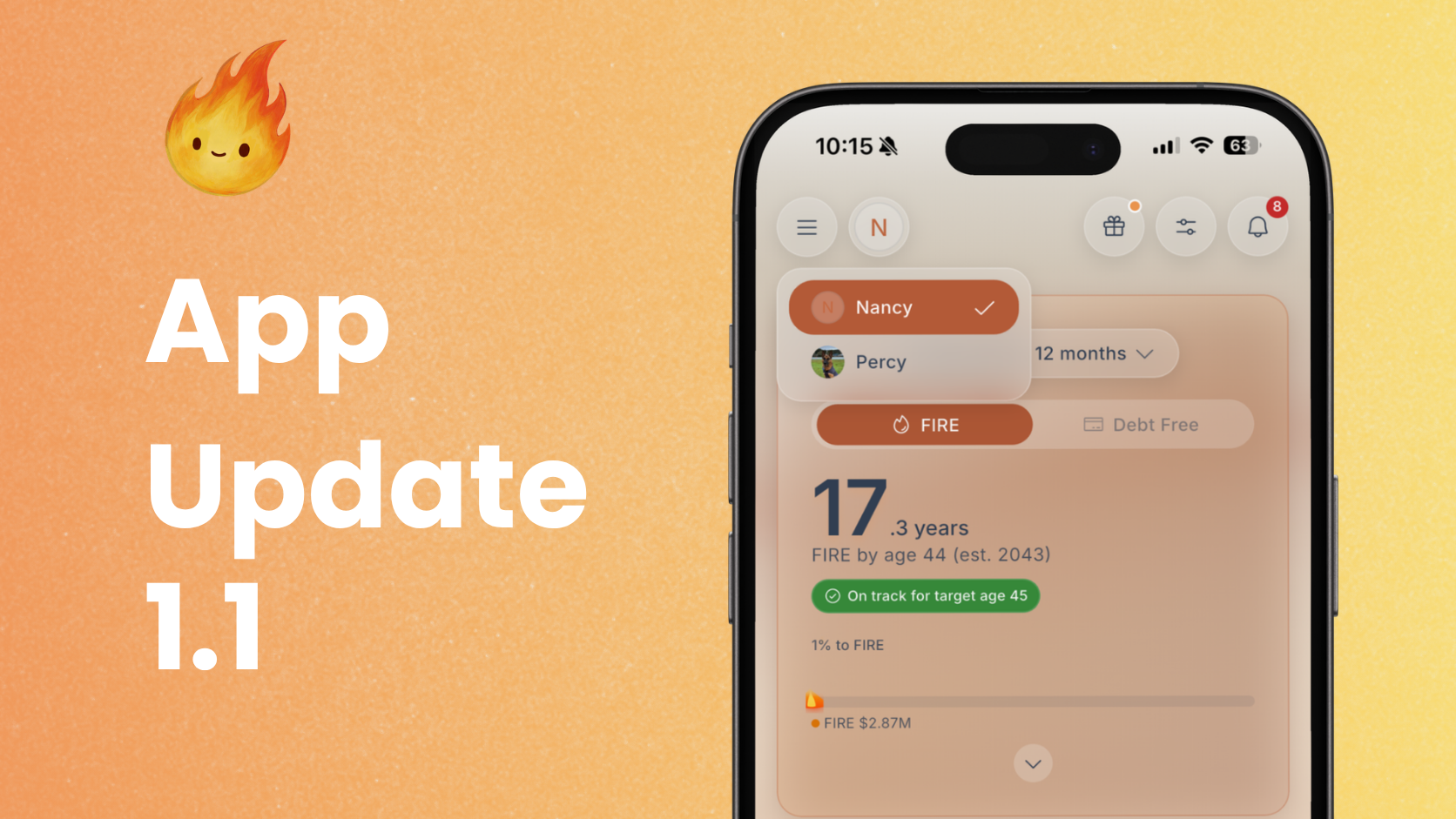
Shared finances: invite another person using Viewer or Editor access, switch between profiles and receive notifications about collaborator changes.
Markets and watchlists: explore supported investments, follow prices and historical charts, and create price alerts.
Ask Fireball attachments: ask questions about photos, PDFs, CSV files and existing transaction attachments.
Home loan rate comparisons: view supported advertised New Zealand lender rates while setting up and reviewing a loan.
Home Screen widgets: keep useful figures such as Safe to Spend, upcoming money, budgets, goals, debt and FIRE progress visible.
Notifications and cash flow reminders: choose alerts for upcoming payments, budget limits, collaborator changes, account issues and a possible low balance.
Better financial organisation: improved merchant management, account and budget sorting, debt progress controls and Home monitor summaries.
Performance and reliability: improvements to startup, syncing, calculations, session recovery and security.
Manage money with someone you trust
Money decisions are often shared, even when one person does most of the administration. Fireball 1.1 lets the owner of a paid account invite up to four people using their own Fireball logins.
Open Profile, then Financial access to send and manage invitations. Choose the access that suits the relationship:
Viewer lets someone explore the shared financial picture without changing it.
Editor lets someone help organise transactions and maintain the plan.
For example, Maia manages the household accounts while she and Tom make decisions together. Tom can begin as a Viewer. If they later want him to categorise transactions or update the plan, Maia can change him to an Editor.
People with their own Fireball finances can switch between profiles. The owner keeps control of bank connections and can change or remove access. Ask Fireball and other AI features remain with the owner.
Follow investments with Markets and watchlists
Markets gives you a place to explore supported investments and follow the ones that matter to you.
Add an investment to your watchlist to keep its latest available quote within reach. Open it to view historical price charts across different periods. You can also save a price target and receive an alert when the supported market price reaches it.
Market information provides context, not a recommendation. Prices can be delayed or temporarily unavailable, and past performance cannot predict future results.
Compare advertised New Zealand home loan rates
Fireball can show supported advertised home loan rates from New Zealand lenders in Markets.
If you have an eligible New Zealand dollar home loan, open Loan Settings and choose Use advertised rate. Select the lender, rate type and term, then use the rate to fill your current interest rate or longer term rate assumption.
The rate is copied into the field once. You must still save Loan Settings, and it will not update automatically when advertised rates change.
Advertised rates are not personalised offers. Eligibility, fees and lending criteria vary. Fireball does not recommend a lender or guarantee that you will qualify for a displayed rate.
Ask Fireball about a file or receipt
Sometimes the information you want to understand is inside a document rather than a transaction list.
You can attach a photo, image, PDF or CSV file to Ask Fireball. This can help you ask about a bill, statement, receipt or set of figures. Each file can be up to 10 MiB.
If a document is already attached to a transaction, you can send that attachment to Ask Fireball without uploading it again.
When you send an attachment, the selected content is shared with Google Gemini or OpenAI for that question. Check the file first and do not send information you do not want included in the AI request. Ask Fireball can help explain information, but it does not replace professional financial, legal or tax advice.
Keep useful figures on your Home Screen
Fireball 1.1 improves the Home Screen widgets available on iOS and Android.
You can choose from Net Worth, FIRE Progress, Safe to Spend, Budget Pulse, Budget Overview, Upcoming Money, Goal Progress, Debt Free Countdown and Spending Monitor.
Safe to Spend can support everyday decisions after known budgets, bills and goals are considered. Upcoming Money shows expected income and payments over the next seven days. Other widgets keep a budget, goal, debt or FIRE target visible without opening the app.
Open Home Screen widget settings in Fireball to preview the options. A widget can only use information Fireball has, so you may need to set up the related budget, goal, monitor or FIRE plan first.
Choose notifications that help you act
Fireball 1.1 gives you clearer control over the notifications you receive. Depending on your accounts, settings and plan, you can choose alerts for:
- Changes made by an Editor
- A connected account that needs attention
- income or expenses above an amount you choose
- A budget reaching 80 percent or 100 percent of its limit
- Confirmed recurring payments expected in two days
- A possible low balance in an account you select
- Saved market price targets and supported home loan rate changes
For a low balance alert, choose whether Fireball should look ahead 3, 7, 14 or 30 days. Fireball uses the latest eligible balance and known recurring activity to estimate what may happen.
If the bank balance or recurring information is not ready, Fireball explains what needs updating instead of showing an unreliable forecast. Unexpected payments may still be missing, so treat the forecast as an early prompt to check your money, not a guarantee.
Spend less time organising Fireball
The expanded Merchants area makes it easier to search, filter and sort merchants. You can give a merchant a preferred name, create a custom merchant when bank information is unclear and archive an entry you no longer need in the main view.
Account and budget sorting lets you arrange information in a way that suits you. Clearer debt progress controls explain what Fireball is tracking and why progress may be paused. Improved Home monitor summaries make it easier to see what you are watching and how current activity compares with your chosen amount.
Fireball can also suggest a budget check in when recent spending changes. You can review the budget, keep it as it is or ask Fireball to remind you in 30 days. The suggestion is a prompt to review your plan, not an instruction to change it.
More reliable behind the scenes
Fireball 1.1 includes improvements to startup, account syncing, financial calculations, session recovery and security.
These changes may be less visible, but they help Fireball recover more cleanly when a connection or session is interrupted and keep financial results consistent as information moves between features.
A more connected financial picture
Fireball 1.1 is designed to reduce the work required to understand your money.
Shared finances helps you make decisions with another person. Markets and home loan rates add useful context. Ask Fireball attachments let you begin with the document already in front of you. Widgets and notifications help important information reach you sooner.
Together, these improvements connect everyday spending with cash flow, budgets, goals, KiwiSaver, investments, property, debt and financial independence.
Get Fireball 1.1
Once Fireball 1.1 is available for your device, install the update and open the app. Feature availability can depend on your plan, device and the information in your financial profile.
We are continuing to make Fireball more helpful without making money management more complicated. Version 1.1 is a substantial step towards that goal.
Make the next money decision calmer
Turn what you just read into a plan you can track, adjust, and actually live with. Explore our free financial calculators or see how Fireball brings your finances together.